
Stock Market Technical Analysi1.3 - Google Play
You'll be able to see results in few seconds.
Publisher Description
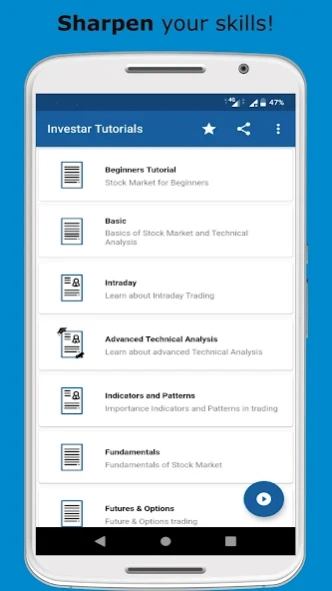
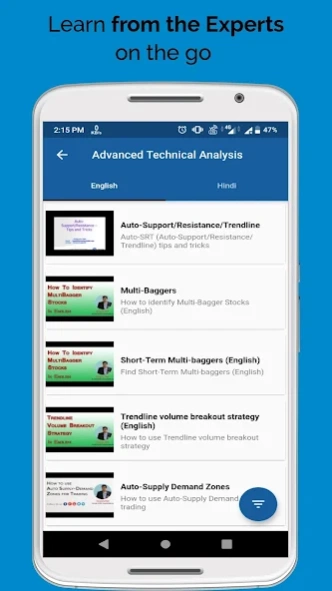
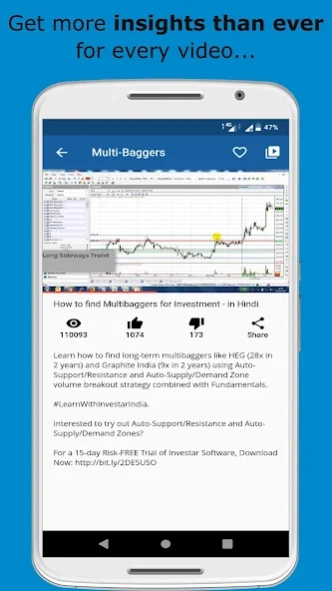
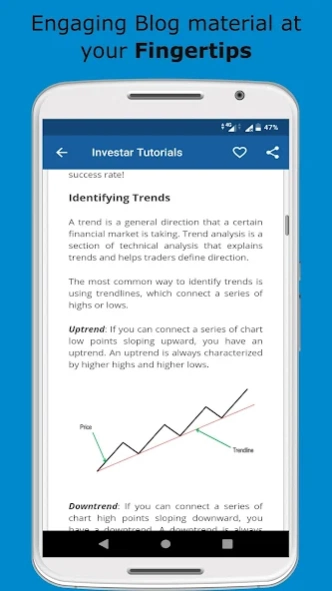
Stock Market Technical & Fundamental Analysis Video Tutorial in Hindi & English
InvestarIndiahas come up with a
Stock market Technical & Fundamentals analysis training app
which includes
InvestarIndia Blogs and Videos (Hindi/English).
The course has been
designed by Mr. Himanshu Patil
, Founder and CEO of InvestarIndia.com.
Download and install the application to
get all the Share Market training material at once place.
The application is suitable for
people with novice, intermediate, advanced knowledge of technical analysis who wants to sharpen technical analysis fundamentals and learn new techniques with well researched trading strategies.
If you are a serious or a prospective trader, no matter at which level of trading you are currently in,
you'll learn many new concepts and get a whole new perspective on trading the markets systematically.
All the trading tools and technologies
covered in this tutorial app are available with various editions of our
desktop software Investar
and
our mobile application Investar Mobile
, widely used for technical analysis across the globe.
We will keep the application updated with new videos and blogs which will be available to the users automatically.
The application covers topics like:
1. Indian Stock Market, NSE & BSE, Sensex
2. Initial Public Offerings (IPO), Stock Price, Share Market Technical analysis
3. Various Chart Types and Technical Indicators
4. How to use Buy/Sell Signals and how to avoid false signals
5. Identifying trends
6. Intraday Volume Breakout Strategies for 2-3% gains
7. High Volume Breakouts
8. Auto-Support Resistance/Trend-line scans
9. Using indicators and patterns like RSI, Harmonic Patterns, Stochastic Oscillators, Bollinger Band, Lagging Indicators, Trending Indicators, ADX, Trading Gaps, Supertrend, MACD, Ichimoku Indicator, Fibonacci retracements, ATR Indicator, On-Balance Volume, and Identify Volume Breakouts and so on.
10. How to choose right indicator parameters
11. Analyzing charts with multiple time-frames
12. Custom Screener
13. Investar Query Language for Scans
14. How to identify multi-bagger stocks
15. Trend-line volume breakout strategy
16. Advanced Nifty Analysis
17. Supply Demand Zone
18. Custom Time-frames
19. Price Action patterns
20. Support/Resistance
21. Long term Multi-Baggers
22. Auto Support/Resistance Scans
23. Auto Divergence
24. Understand Fundamentals Analysis with PE Ratio, Growth Stocks, Difference between Fundamentals and Technical Analysis, PEG ratio, P/S ration and so on and so forth
25. Future and Options related topics about Futures, Options and Open Interest.
26. Information about Investar’s Technical analysis and Fundamental software
27. Information about Investar’s Mobile application named Investar Mobile
Not only one will find this tutorial app useful, but also trade with confident if the trading strategies are applied with proper technical analysis knowledge.
Our website:
• www.investarindia.com
Our Products:
• Investar Desktop Software (Windows)
• Investar Mobile (Android/iOS)
Other features of the app are mentioned below:
1. Set Blog/Video as Favorites
2. Resume incomplete videos
3. Get access to our online Webinars by Mr. Himanshu Patil
4. Install Investar Mobile application (for Technical Analysis)
5. Contact Sales/Support
6. Share the app
About Stock Market Technical Analysi
The company that develops Stock Market Technical Analysi is InvestarIndia.com. The latest version released by its developer is 1.3.
To install Stock Market Technical Analysi on your Android device, just click the green Continue To App button above to start the installation process. The app is listed on our website since 2019-11-20 and was downloaded 0 times. We have already checked if the download link is safe, however for your own protection we recommend that you scan the downloaded app with your antivirus. Your antivirus may detect the Stock Market Technical Analysi as malware as malware if the download link to com.investarindia.tutorials is broken.
How to install Stock Market Technical Analysi on your Android device:
- Click on the Continue To App button on our website. This will redirect you to Google Play.
- Once the Stock Market Technical Analysi is shown in the Google Play listing of your Android device, you can start its download and installation. Tap on the Install button located below the search bar and to the right of the app icon.
- A pop-up window with the permissions required by Stock Market Technical Analysi will be shown. Click on Accept to continue the process.
- Stock Market Technical Analysi will be downloaded onto your device, displaying a progress. Once the download completes, the installation will start and you'll get a notification after the installation is finished.
Program Details
System requirements
Download information
Pricing
Version History
version 1.3
posted on 2019-11-20
Bug Fix: There were issues playing some of the videos. Now, all videos play successfully in the app.
Changes: The links used to refer to various other important content can be accessed through a single tap.
version 1.2
posted on 2019-10-04
1. Category for Hindi and English Videos/Blogs
2. Important notifications for users
version 1.1
posted on 2019-08-05
1. Watch Stock Market Technical analysis Videos/Blogs
1. Set Blog/Video as Favorites
2. Resume incomplete videos
3. Get access to our online Webinars by Mr. Himanshu Patil
4. Install Investar Mobile application (for Technical Analysis)
5. Contact Sales/Support
6. Share the app
Disclaimer
Official Google Play Link
We do not host Stock Market Technical Analysi on our servers. We did not scan it for viruses, adware, spyware or other type of malware. This app is hosted by Google and passed their terms and conditions to be listed there. We recommend caution when installing it.
The Google Play link for Stock Market Technical Analysi is provided to you by apps112.com without any warranties, representations or guarantees of any kind, so access it at your own risk.
If you have questions regarding this particular app contact the publisher directly. For questions about the functionalities of apps112.com contact us.
